Section 1: Creating Your Account
Steps 1–5 · Takes about 5 minutes
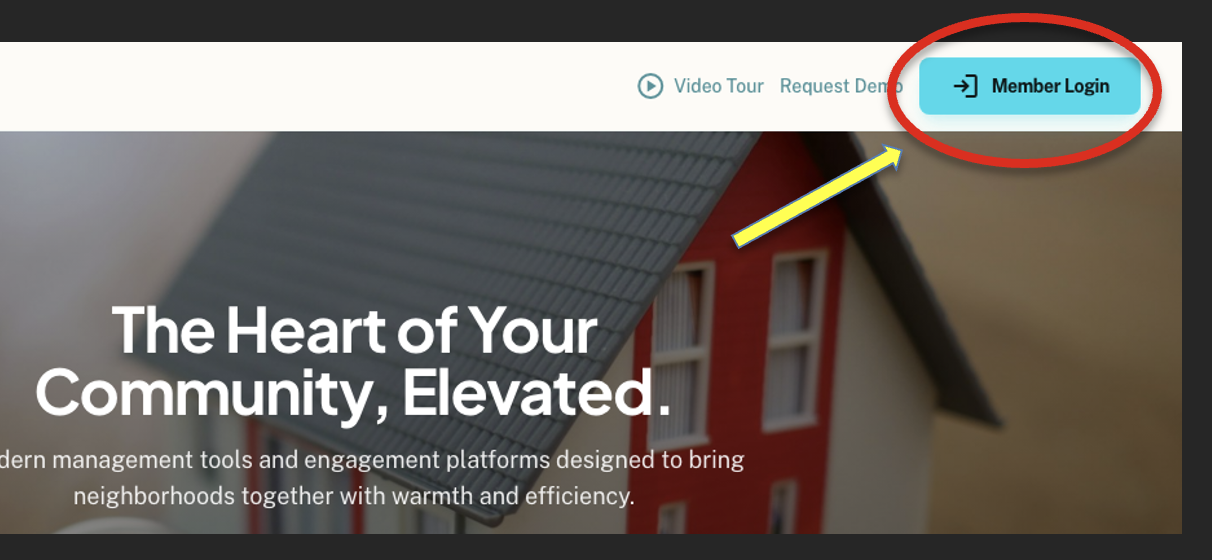
Go to mylakeaccess.com
Open your web browser and visit mylakeaccess.com. Click the Member Login button in the top right corner of the page.
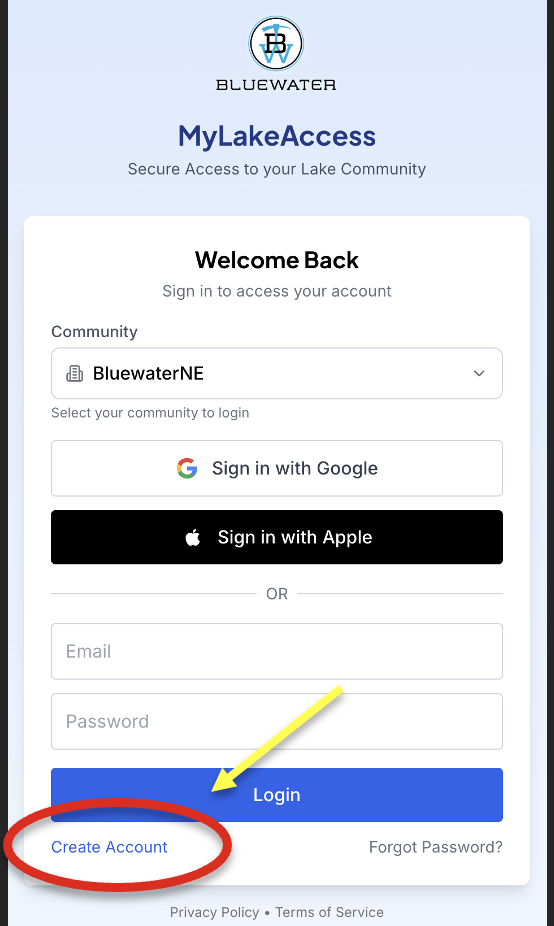
Click "Create Account"
On the login page, choose your lake community (BluewaterNE) and click Create Account at the bottom of the login form.
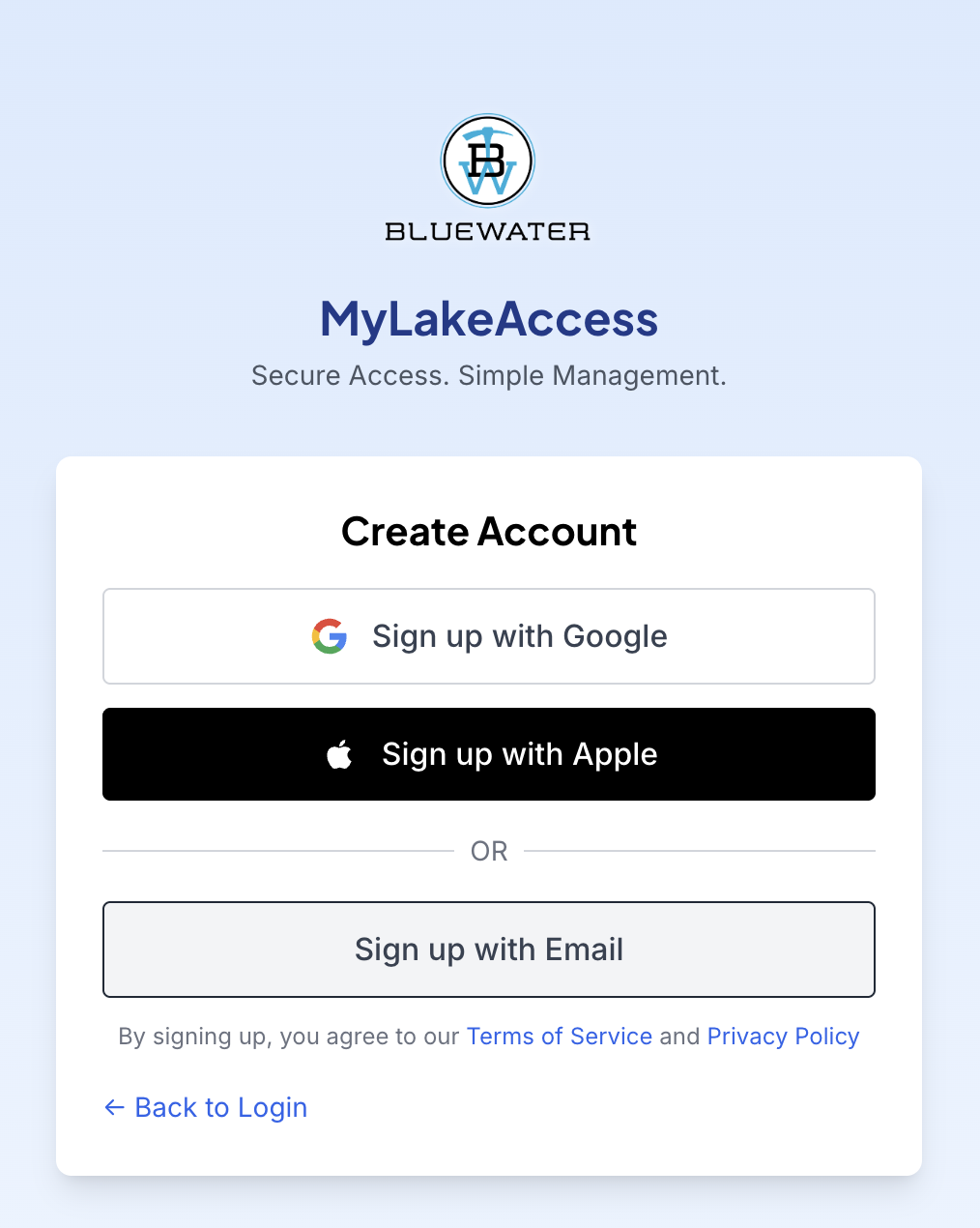
Choose an authentication provider
We highly encourage you to choose Sign in with Google or Sign in with Apple — most folks have one of these and you won't need to manage a separate username or password.
If you'd rather create a unique account, choose Sign up with E-mail and enter your email address and a password.
Complete your profile
Fill in your name, phone number, and home address. All fields marked with an asterisk (*) are required. Then choose your Lot number.
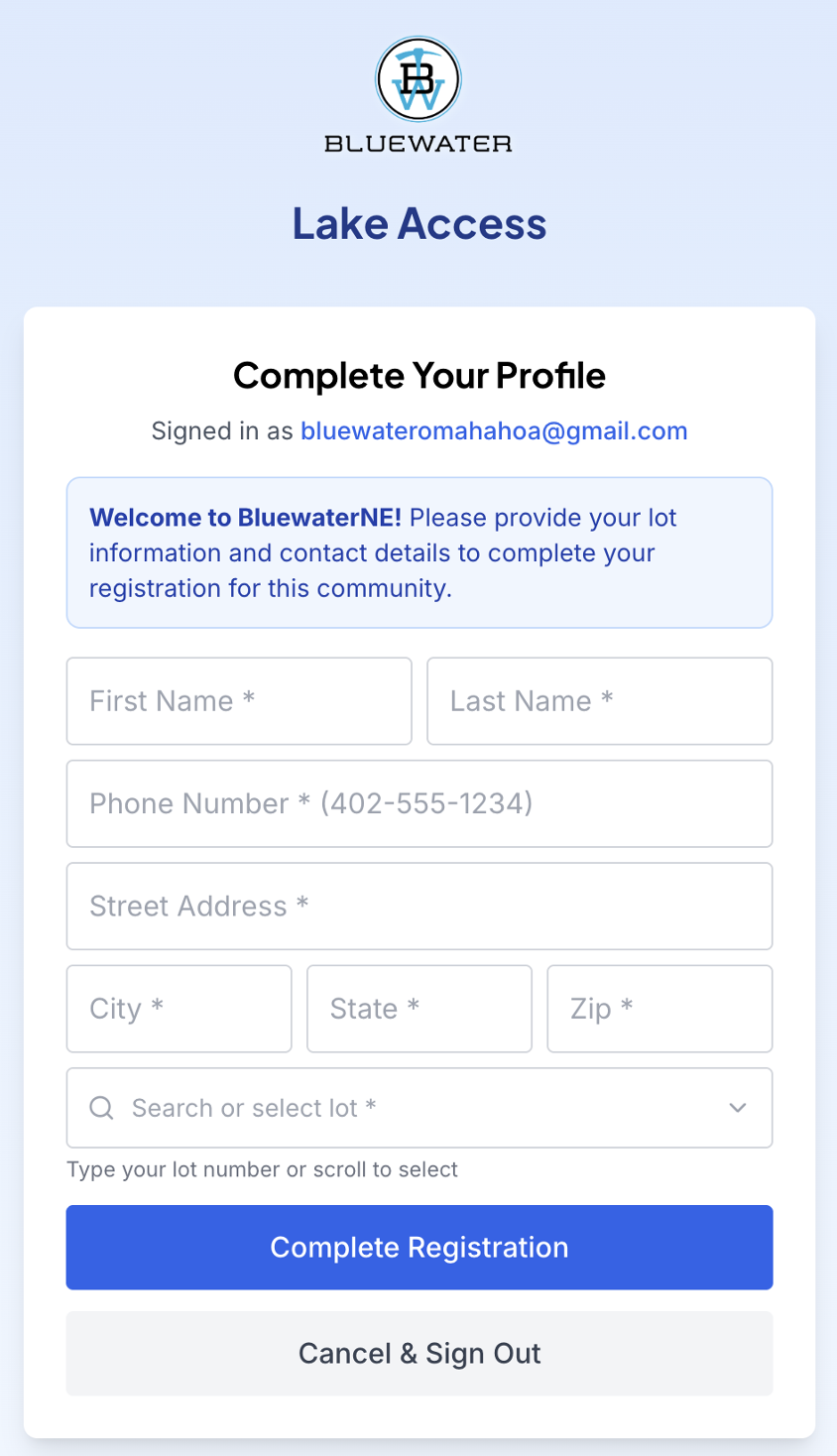
Wait for approval
After submitting your profile, you may see a Pending Approval screen (shown below). Your HOA administrator will review and approve your account — you'll receive an email when approved, typically within 24 hours or less.
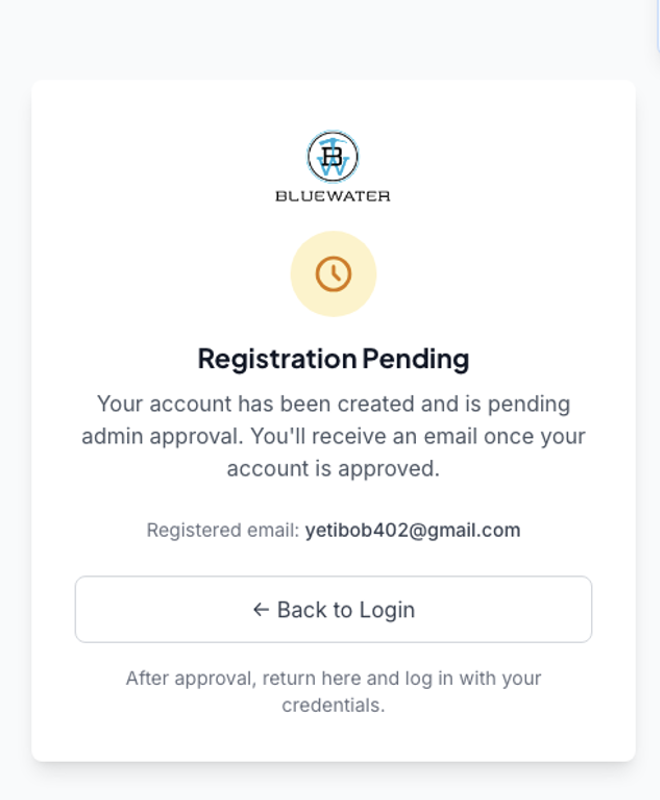
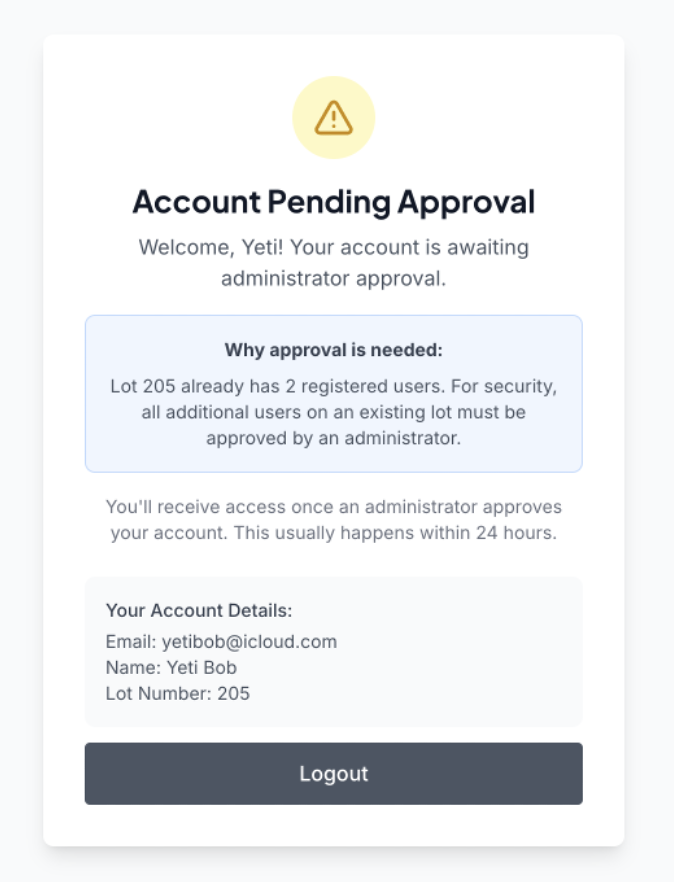
Section 2: Logging In After Approval
Steps 6–7 · Once you receive your approval email
Return to the login page
Once you receive your approval email, go back to mylakeaccess.com and click Member Login. Choose the same authentication provider you signed up with (Google, Apple, or Email) and click Login.
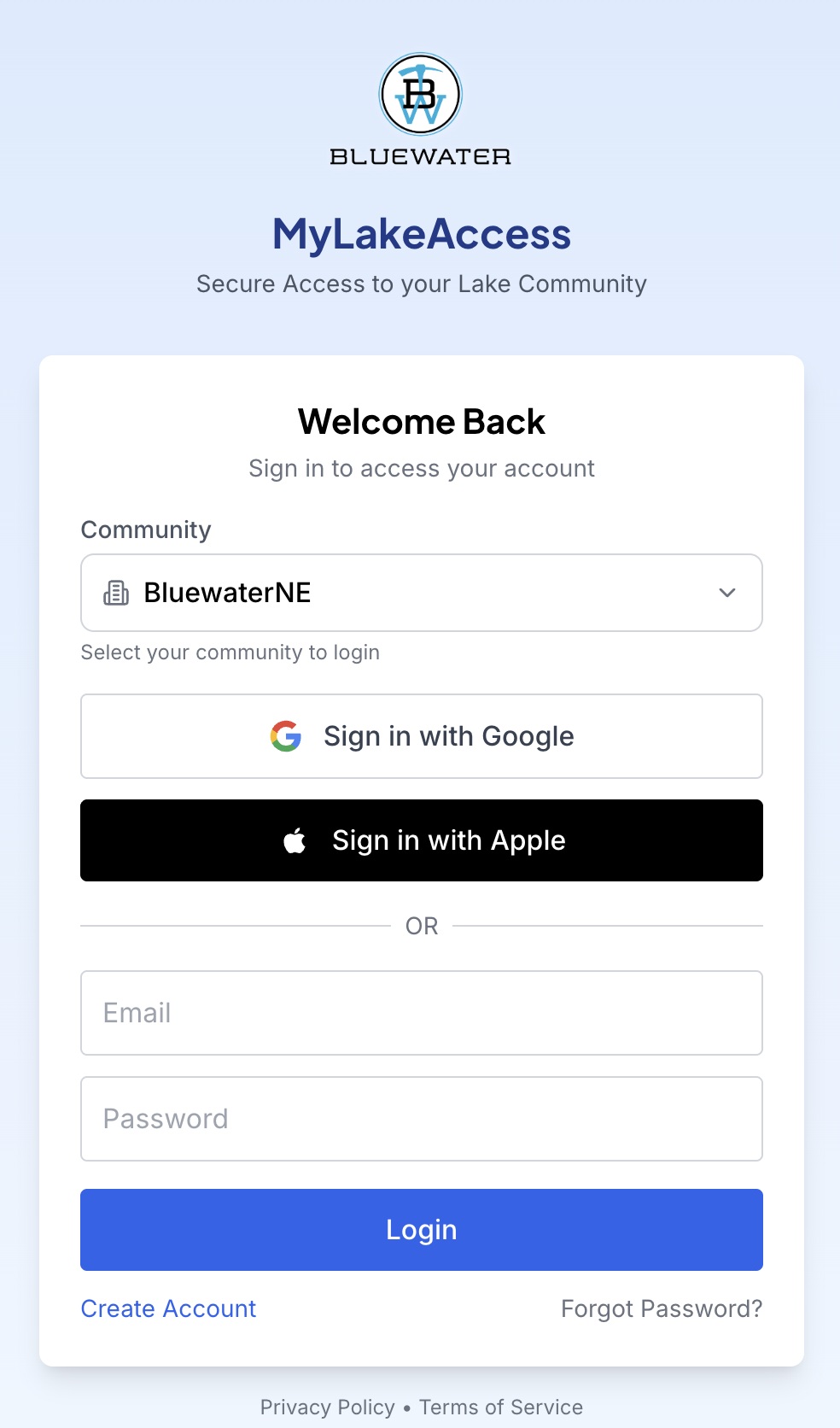
Explore your dashboard
You'll land on your member home page. Click the Watercraft tab to register your boat.

Section 3: Registering Your Watercraft
Steps 8–12 · Have your insurance card and boat photos ready
Go to the Watercraft tab
Click the Watercraft tab to view your registered boats. Click Add Boat to begin.

Select your boat type
Select your boat type from the dropdown:
- Wake / Surf
- Pontoon
- Fish / Leisure
- JetSki / PWC

Enter your boat details
Fill in your boat's year, make, model, length, and colors as appropriate for the watercraft type.

Upload your documents
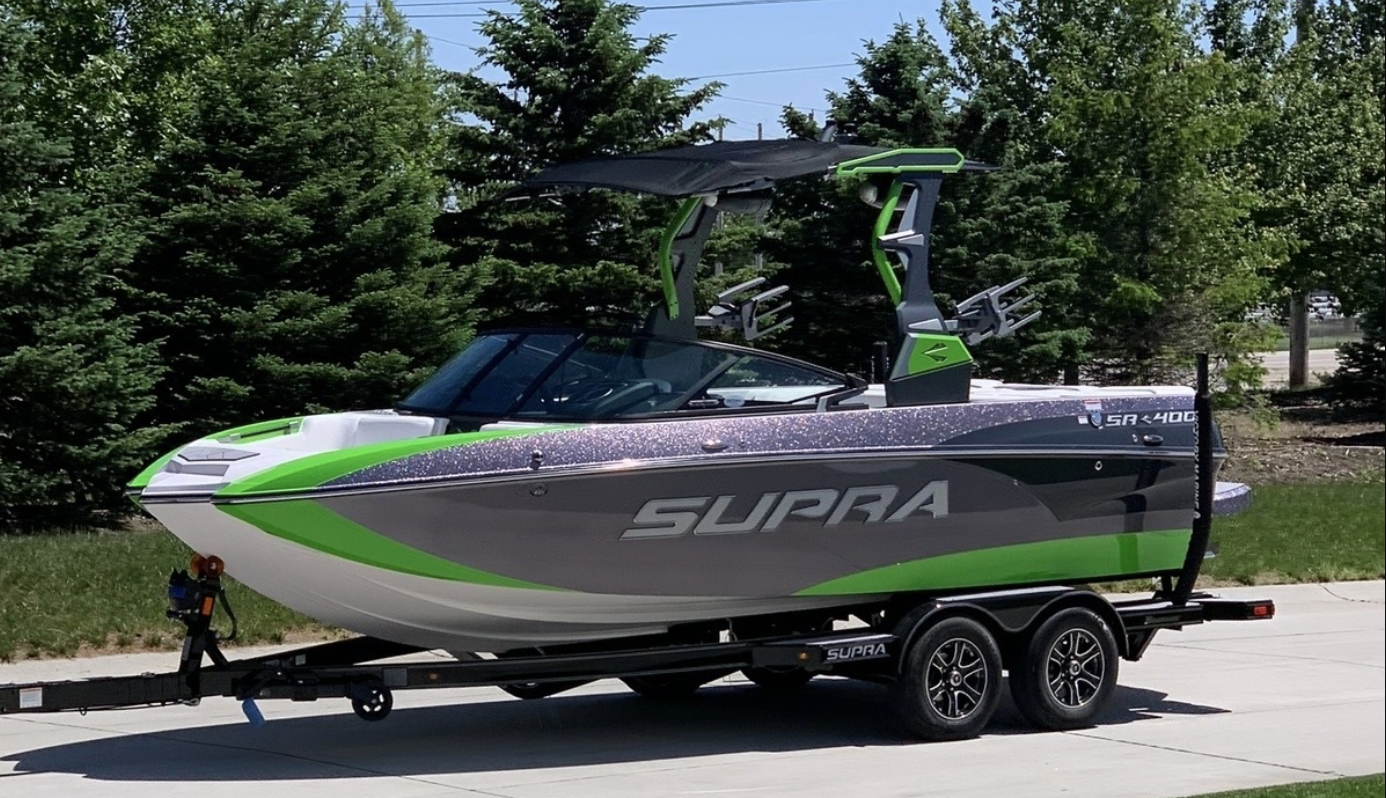
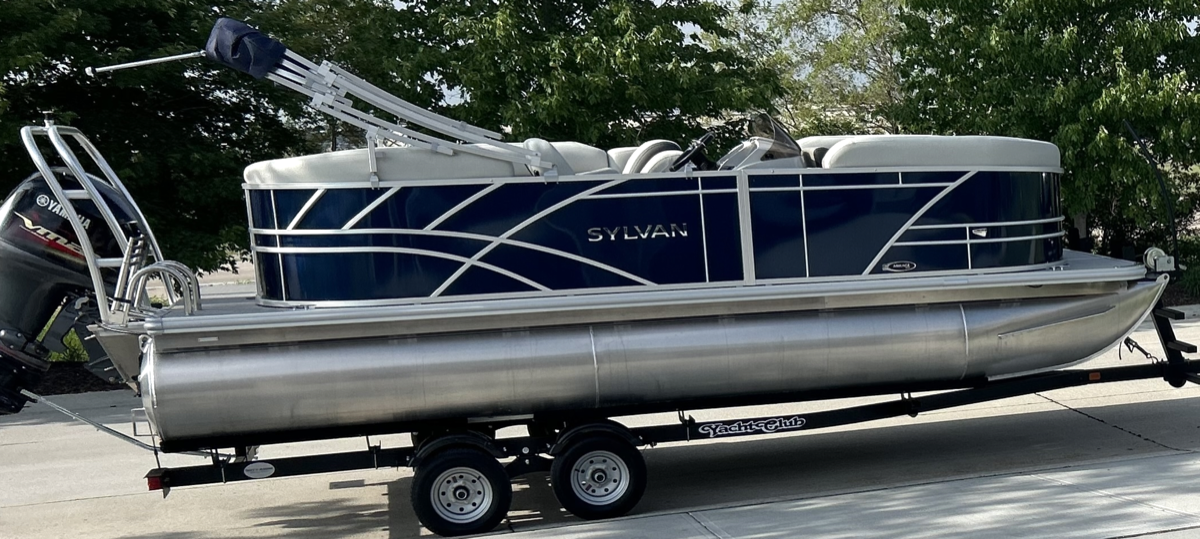
Upload two quality images
📷 Boat Photos — 2 required:
✓ Show both sides clearly, as if selling your boat to a buyer
✓ Ideal second shot: front at a 45° angle
✓ No photos through a fence, covered, or at unclear angles
✓ No stock or marketing photos
✓ Lot number sticker visible on the starboard side
📄 Proof of Insurance:
✓ Must show make, model, and year of the watercraft
✓ Minimum liability coverage with a visible expiration date
✓ Insurance card photo is the best option
✓ Each image is verified against the entered expiration date — you'll be emailed if it doesn't match


Sample acceptable photos
Save and wait for approval
Click Save Boat to submit. Your boat will show a Pending badge while your HOA administrator reviews it. You'll be notified once approved — typically within 48 hours or less.